Face Shape Recognition Explained: How AI Identifies Your Face Shape
Understand landmarks, proportions, photo conditions, and the best way to check an AI estimate before choosing a hairstyle or glasses.

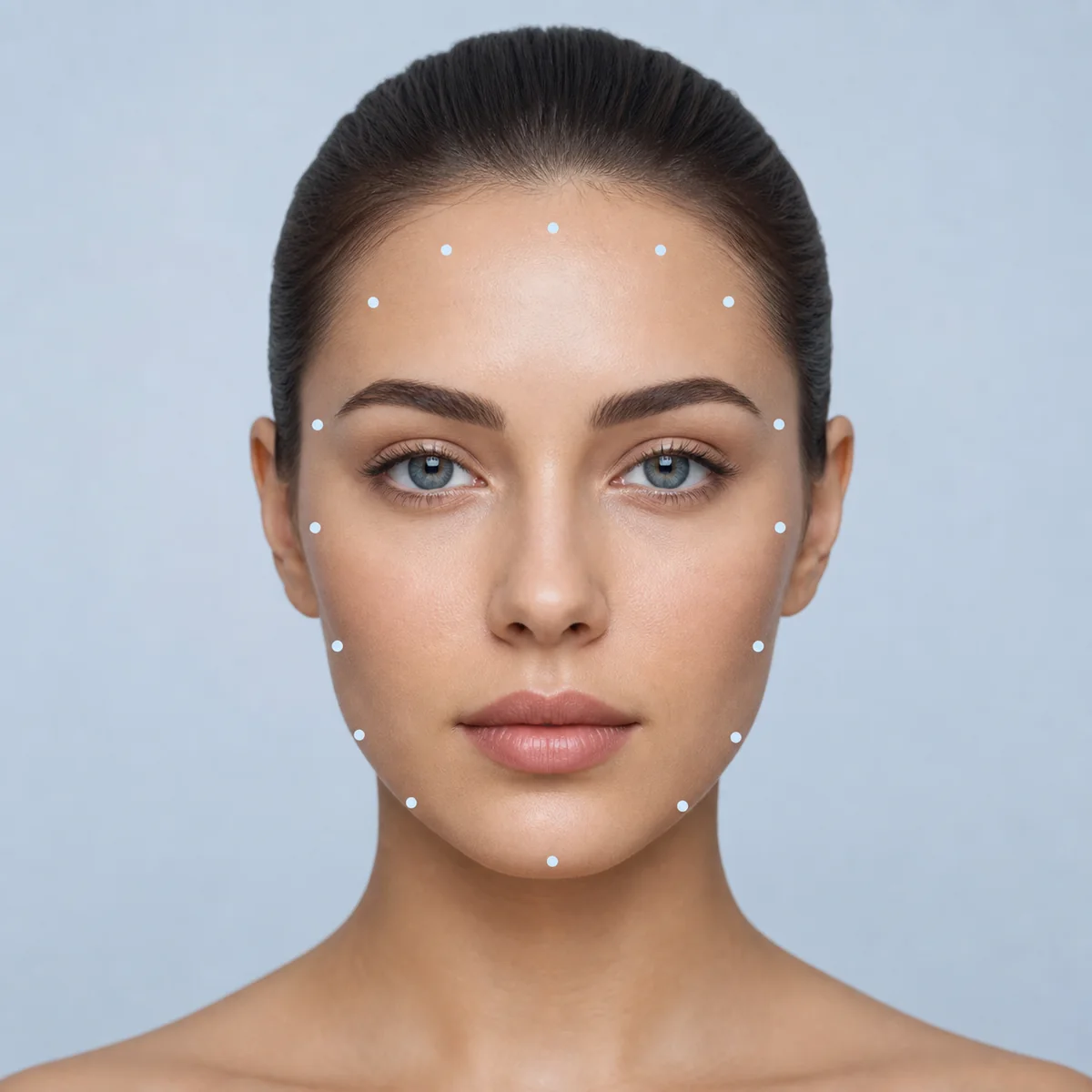
When people search for face shape recognition online, they usually want a fast answer to a practical question: what's my face shape, and what should I do with that information? If you are asking how can I tell what face shape I have, the useful answer is not a permanent label. It is a repeatable estimate of the relationship between length, width, angles, and the widest part of the visible outline. This guide explains what an AI-style recognition result can and cannot tell you, how to improve the input photo, and how to verify a borderline result without pretending that a soft facial outline is exact to the millimeter.
What Face Shape Recognition Actually Means
Face shape recognition in a styling or grooming context is different from facial recognition used to identify a person. The goal is to group visible proportions into a practical shape category, not to determine who is in the photo. A useful system should make the result understandable enough for you to check it yourself.
Landmarks
A model or a person can mark points around the forehead, cheekbones, jaw, chin, and hairline. These points create a consistent outline for comparison.
Proportions
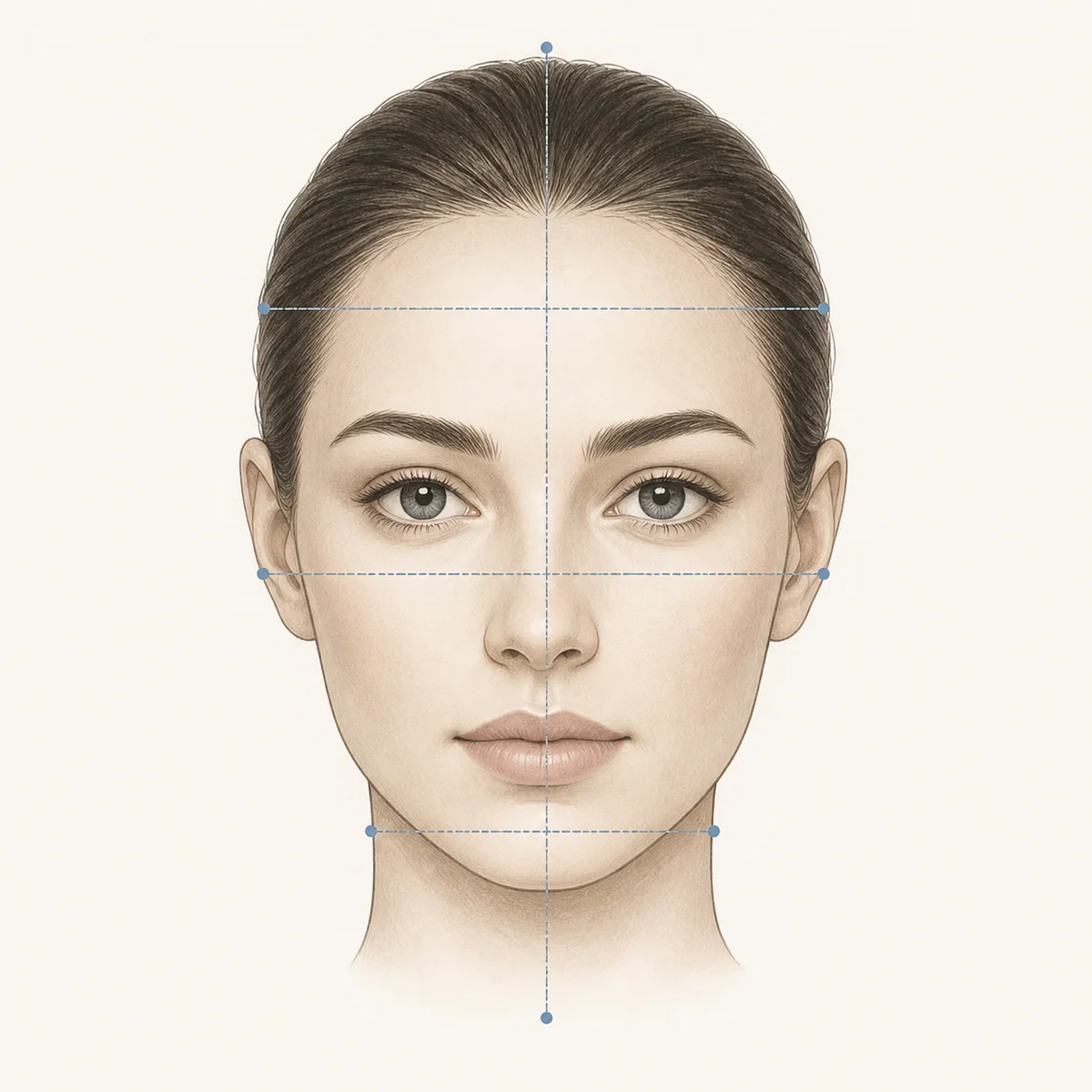
The important signal is the relationship between length and width, plus which horizontal area is widest. One cheek or one chin angle should not decide the category alone.
Style direction
The category is a starting point for hair, glasses, or grooming choices. It is not a measure of attractiveness, health, personality, or identity.
How a Face-Shape Estimate Is Made
Different tools use different models, but the reasoning can be understood as a short sequence. Knowing the sequence helps you spot a result that was probably driven by a poor photo rather than your actual proportions.
- Locate the visible outline: The input is checked for a usable face and an approximate boundary. Hair, strong shadows, glasses, and a turned head can hide the boundary before any category is considered.
- Find stable landmarks: Points near the forehead, cheekbones, jawline, and chin provide a repeatable reference. In a clear front-facing photo, these points are easier to compare across images.
- Compare ratios and angles: The estimate weighs face length against width, the widest region, jaw shape, chin taper, and the softness or structure of the outline. These signals overlap between nearby categories.
- Return a practical category: The tool maps the pattern to a common label such as oval, round, square, oblong, heart, diamond, or triangle. A close score between two labels is a normal limitation, not a personal failure.
Why the Same Face Can Get Different Results
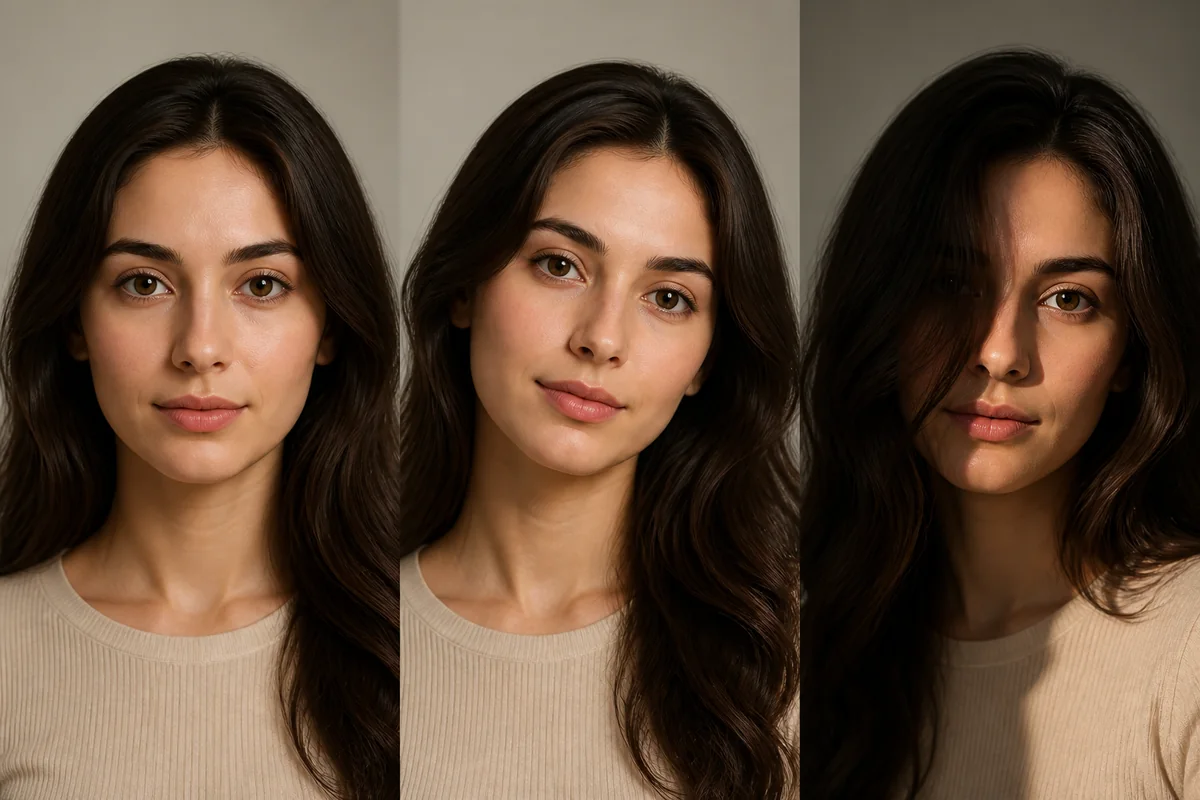
A face-shape result is sensitive to the image because the input is a projection of a three-dimensional face. Before comparing two tools, make the photo conditions more consistent.
| Photo factor | What can change | Better input |
|---|---|---|
| Camera distance | A close wide-angle selfie can enlarge the center of the face and change apparent width. | Move the phone farther away or use a timer and a stable position. |
| Head angle | Tilting the chin can make the face look longer, shorter, or more angular. | Keep the lens at eye level and face forward with a relaxed posture. |
| Hair and facial hair | Fringe, side volume, beard edges, or a covered jaw can hide the true outline. | Pull hair away and treat facial hair as a separate styling variable. |
| Light and shadow | A dark side can erase the jawline while a bright highlight can exaggerate cheek width. | Use soft, even light that shows both sides of the face. |
| Expression | A smile or clenched jaw changes cheek fullness and the visible lower outline. | Use a natural expression and compare more than one clear frame. |
| Glasses and occlusion | Frames can cover cheek landmarks, and glare can reduce the visible eye and temple area. | Remove glasses when comfortable, or use a second image without glare. |
AI Recognition vs Manual Measurements vs a Calculator
Each method answers a slightly different need. The most dependable workflow is often to use a fast photo estimate for a starting point, then use a transparent manual or calculator check when the result affects a real styling decision.
| Method | Strength | Limit | Best for |
|---|---|---|---|
| AI photo estimate | Fast and convenient when you want a starting category. | Sensitive to input quality and model assumptions; the reason behind the label may be unclear. | A quick first pass. |
| Manual comparison | Makes the length, width, and widest point visible to you. | Soft outlines and hard-to-see hairlines make the measurements approximate. | Understanding why two shapes look close. |
| Face shape calculator | Shows how entered forehead, cheekbone, jawline, and length values affect the comparison. | The output is only as consistent as the measurements you enter. | A transparent second opinion. |
How to Handle a Mixed Face-Shape Result
Mixed results such as oval-oblong, round-square, or heart-diamond are common. Face-shape categories are practical style groups rather than strict biological boxes, so a result near the boundary can be more honest than a forced single label.
- Check the widest area: Ask whether the forehead, cheekbones, or jaw is carrying the most width. This often separates nearby categories better than focusing on the chin alone.
- Repeat the input: Take another eye-level, front-facing photo with hair away from the outline and compare the repeated pattern. Do not average together a clear photo and a distorted selfie.
- Measure the four points: Record face length, forehead width, cheekbone width, and jawline width in the same unit. The numbers do not need to be clinical; they need to be collected consistently.
- Choose the useful direction: If two labels remain close, use the styling advice that solves your actual goal, such as adding side width, softening angles, or reducing vertical emphasis.
A good result should help you make a clearer next choice. If the label does not lead to a useful decision, treat it as a prompt to inspect the proportions again rather than as a verdict.
Use Face Shape Recognition for a Real Decision
The best next step depends on what you are trying to choose. Keep the face-shape label in the background and make the practical goal explicit.
- Start with a neutral photo: Use even light, eye-level framing, a natural expression, and enough distance to avoid a wide-angle selfie effect.
- Record the pattern: Note the likely shape, the closest second shape, and which area looks widest. This is more useful than saving only a single confidence score.
- Choose the decision: Decide whether you need haircut direction, glasses-frame ideas, a manual measurement check, or simply a clearer explanation of the seven common shapes.
- Confirm before changing style: Compare the estimate with a chart, calculator, or second photo. Then consider hair texture, maintenance, frame comfort, and personal preference alongside the face shape.
For a transparent follow-up, start with our how-to-find-your-face-shape guide, face shape calculator, free face shape detector, or use the chart and glasses guide when those decisions are more relevant.
Face Shape Recognition FAQ
Is face shape recognition the same as facial recognition?
No. In this styling context, face shape recognition estimates visible proportions such as length, width, cheekbones, and jawline. Facial recognition usually refers to identifying or verifying a person, which is a different purpose.
How accurate is an AI face shape detector?
There is no single accuracy number that applies to every tool, photo, face, or shape boundary. Treat the result as an estimate, improve the photo conditions, and use measurements or a second image when two categories are close.
What photo is best for face shape recognition?
Use a clear front-facing photo with the camera at eye level, even light, a natural expression, enough camera distance, and hair moved away from the forehead and cheeks. Avoid strong tilt, heavy shadow, glare, and extreme filters.
Why does a face shape detector give me a different answer each time?
Small changes in angle, lens distance, lighting, expression, hair, glasses, or facial hair can change the visible outline. Compare repeated photos taken under similar conditions instead of comparing a clear portrait with a close selfie.
Can I have more than one face shape?
Yes. Many faces sit between categories, and labels such as oval-oblong or round-square can describe a real borderline pattern. Use the category that best supports the styling decision you want to make.
Should I measure my face after using an AI detector?
If the result matters or looks borderline, measuring is a useful second opinion. Compare face length, forehead width, cheekbone width, and jawline width using one consistent method and unit.
Method note
For a technical example of how landmark-based face analysis is described, see Google AI Edge Face Landmarker documentation .
Last updated: August 10, 2026